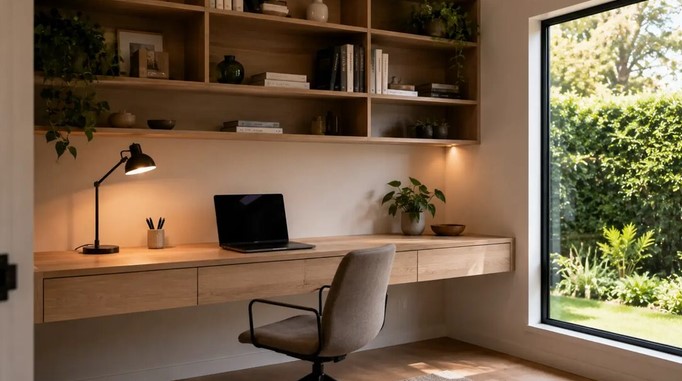
After spending over a decade in the trenches of home workspace optimization, I’ve seen almost every setup imaginable. From elaborate, multi-monitor trading stations to minimalist writing nooks, the struggle remains universal: the battle for surface area.
We often focus so much on what sits on top of our desks that we completely ignore the vertical goldmine hiding just inches beneath them.
Think of your desk surface like high-density urban land in Downtown Manhattan. Building horizontally isn’t an option once you run out of lot space—you have to construct downward. That is where a strategically placed under desk shelf changes the entire game, transforming unused air into high-value storage real estate without taking up an extra inch of floor space.
The Hidden Cost of Desk Clutter: Why Vertical Space Matters
When I first started consulting on home office ergonomics, clients usually asked for a bigger desk the moment their clutter spiked. My answer was always the same: you don’t need a larger footprint; you need better volumetric efficiency.
Every item resting on your main desk surface creates cognitive friction. External hard drives, audio interfaces, charging hubs, and notebook stacks constantly compete for your visual attention.
+-------------------------------------------------------+
|                 MAIN DESK SURFACE                     |
|  [Monitor]    [Keyboard]    [Mouse]    (Clear Area)   |
+-------------------------------------------------------+
                           |
                           v  Vertical Offloading
+-------------------------------------------------------+
|                   UNDER DESK SHELF                    |
|  [Docking Station]  [Audio Interface]  [Hard Drives]  |
+-------------------------------------------------------+
By installing an under desk shelf, you create a secondary utility layer. This simple structural addition offloads non-interactive gear from your line of sight while keeping everything within arm’s reach.
Key Benefits of Integrating an Under Desk Shelf
Adding lower-tier storage isn’t just about hiding mess; it drastically improves work ergonomics and gear longevity.
1. Thermal Management and Airflow
Electronic gear resting directly on wooden desks or tucked against soft fabric cable nets tends to trap heat. A dedicated under desk shelf made of ventilated steel or open-back wood allows proper heat dissipation for gear like:
-
Mac Minis or compact form-factor PCs
-
High-wattage USB-C power bricks
-
External RAID arrays and SSD enclosures
2. Streamlined Ergonomics
To maintain correct posture, your keyboard and primary input tools need to sit at an optimal height, leaving zero room for extra clutter. Clearing peripheral devices to a lower shelf allows you to pull your chair closer to the desk edge, preventing awkward neck extension and lumbar strain.
3. Integrated Cable Routing
Managing power cords and data lines becomes significantly easier when your connection hubs sit on an under desk shelf right next to your cable management raceway or tray.
Types of Under Desk Shelving Solutions
Choosing the right mounting mechanism depends on your desk material, load-bearing requirements, and whether your setup is stationary or height-adjustable.
| Shelf Type | Installation Method | Best For | Weight Capacity |
| Clamp-On Shelf | C-Clamps (No drilling) | Rental spaces, glass desks, quick setups | Light to Medium (10–20 lbs) |
| Screw-Mounted Shelf | Direct under-mount screws | Heavy gear, permanent setups, solid wood desks | Heavy (25–50+ lbs) |
| Slide-Out Drawer Shelf | Ball-bearing drawer slides | Everyday items, notebooks, small peripherals | Medium (15–25 lbs) |
Step-by-Step Selection and Installation Guide
Before buying or building your own under desk shelf, walk through these critical engineering steps to ensure a rock-solid installation.
Step 1: Measure Knee Clearance First
The number one mistake I see DIYers make is mounting a shelf right where their knees rest.
Sit at your desk in your ideal ergonomic position. Measure the distance between the top of your thighs and the underside of the desktop. Your under desk shelf must sit outside your leg movement zone, ideally off to the far sides or mounted deep toward the back wall of the desk frame.
       [ Desktop Surface ]
   +-------------------------+
   |    Under Desk Shelf     |  <-- Keep clear of thigh sweep zone!
   +-------------------------+
        |               |
     (Thigh)         (Thigh)
Step 2: Assess Desktop Core Material
-
Solid Wood / Butcher Block: Can handle heavy screw-mounted steel brackets with ease.
-
MDF or Particle Board: Requires hollow-core anchors or clamp-on mounts to prevent the screws from stripping out under stress.
-
Glass Desks: Stick strictly to heavy-duty clamp-on systems with rubber padded jaws.
Step 3: Map Out Power and Cable Access
Always ensure the shelf design leaves open slots at the rear for power cords and connectivity lines. A solid box enclosure with no ventilation or cable pass-throughs will quickly turn into a tangle of trapped wires and heat.
Expert Advice: Pro Tips and Hidden Pitfalls
💡 Pro Tip: The “Velcro Security System”
When mounting lightweight items like audio interfaces or USB hubs inside an under desk shelf, use industrial-strength hook-and-loop tape (like 3M Dual Lock) to secure them to the shelf surface. This prevents devices from sliding around every time you plug or unplug a cable.
⚠️ Hidden Pitfall: Standing Desk Weight Imbalance
If you use a motorized standing desk, placing too much heavy gear on an asymmetrical, side-mounted under desk shelf can strain one side of the dual-motor mechanism over time. Always balance the load evenly across the desk frame to extend the lifespan of your desk motors.
Frequently Asked Questions
Can I install an under desk shelf without drilling holes?
Yes. Clamp-on models feature sturdy padded C-clamps that lock securely onto the edge of your desktop. They require no drilling and leave zero permanent marks, making them ideal for rented homes or office spaces.
Will an under desk shelf block my legroom?
Not if you position it correctly. Mount the shelf toward the back corners or sides of the desk frame where your legs rarely extend. Always measure your seated thigh clearance before picking a shelf depth.
Transform Your Workspace Today
Reclaiming your desk isn’t about buying more accessories—it’s about working smarter with the space you already own. Installing an under desk shelf is one of the most cost-effective, high-impact upgrades you can make to boost daily productivity, protect your hardware, and create a clean, distraction-free environment.
Have you tried using vertical space beneath your desk, or are you struggling with clutter on top? Leave a comment below with your current desk setup challenges, and let’s brainstorm the perfect layout solution for your workspace!
